Insights | September, 2026
Custom Software Development: When Off-the-Shelf Solutions Aren’t Enough
BrandubeUnderstand when custom software makes sense and how tailored digital solutions can address complex business requirements, workflows, and long-term growth.

Table of Content
Overview Introduction When Off-the-Shelf Software Works Signs You Need Custom Software Define Your Custom Software Requirements Design Around Real Business Workflows Build for Integration and Scalability Security and Data Management Plan Development and Testing Ongoing Development and Maintenance Common Custom Software Development Mistakes to Avoid Conclusion Frequently Asked QuestionsOverview
Off-the-shelf software can solve many common business problems quickly. Ready-made platforms often provide established functionality, predictable workflows, integrations, and subscription models that allow businesses to start using a solution without building everything from the ground up.
However, some businesses operate with workflows, requirements, integrations, or operational models that do not fit neatly into a standard product. In these situations, adapting the business around the limitations of existing software can become increasingly difficult.
Custom software development provides an alternative by creating a digital solution around specific business requirements. Instead of selecting functionality from a predefined product, the organization can define the workflows, interfaces, integrations, data structures, and capabilities that the software needs to support.
Introduction
Software plays an increasingly important role in how organizations manage operations, deliver services, communicate with customers, and create digital products. For many businesses, an existing software platform is enough to support these activities. For others, limitations begin to appear as their requirements become more specific.
A business may need a workflow that is not supported by an existing platform, an integration with internal systems, a specialized customer experience, or a level of control over data and processes that standard software cannot provide. When these requirements become central to the business, custom development can become a practical consideration.
Choosing custom software does not mean rebuilding everything from scratch without a clear reason. The decision should be based on business requirements, operational complexity, expected growth, available resources, and the long-term value the software is expected to create.
When Off-the-Shelf Software Works
Off-the-shelf software can be an effective choice when a business has requirements that closely match the capabilities of an established platform. Common business functions such as accounting, communication, project management, customer relationship management, and collaboration are often supported by mature software products.
Ready-made software can reduce the initial development effort and allow teams to adopt established workflows quickly. Vendors may also provide ongoing updates, security improvements, support, integrations, and infrastructure as part of the service.
The important question is not whether custom software is more sophisticated, but whether the selected solution fits the actual needs of the organization. If an existing platform handles the essential workflows without creating significant operational limitations, custom development may not be necessary.
Signs You Need Custom Software
Custom development becomes more relevant when software limitations begin affecting important business processes. Several signs can indicate that a tailored solution may be worth evaluating.
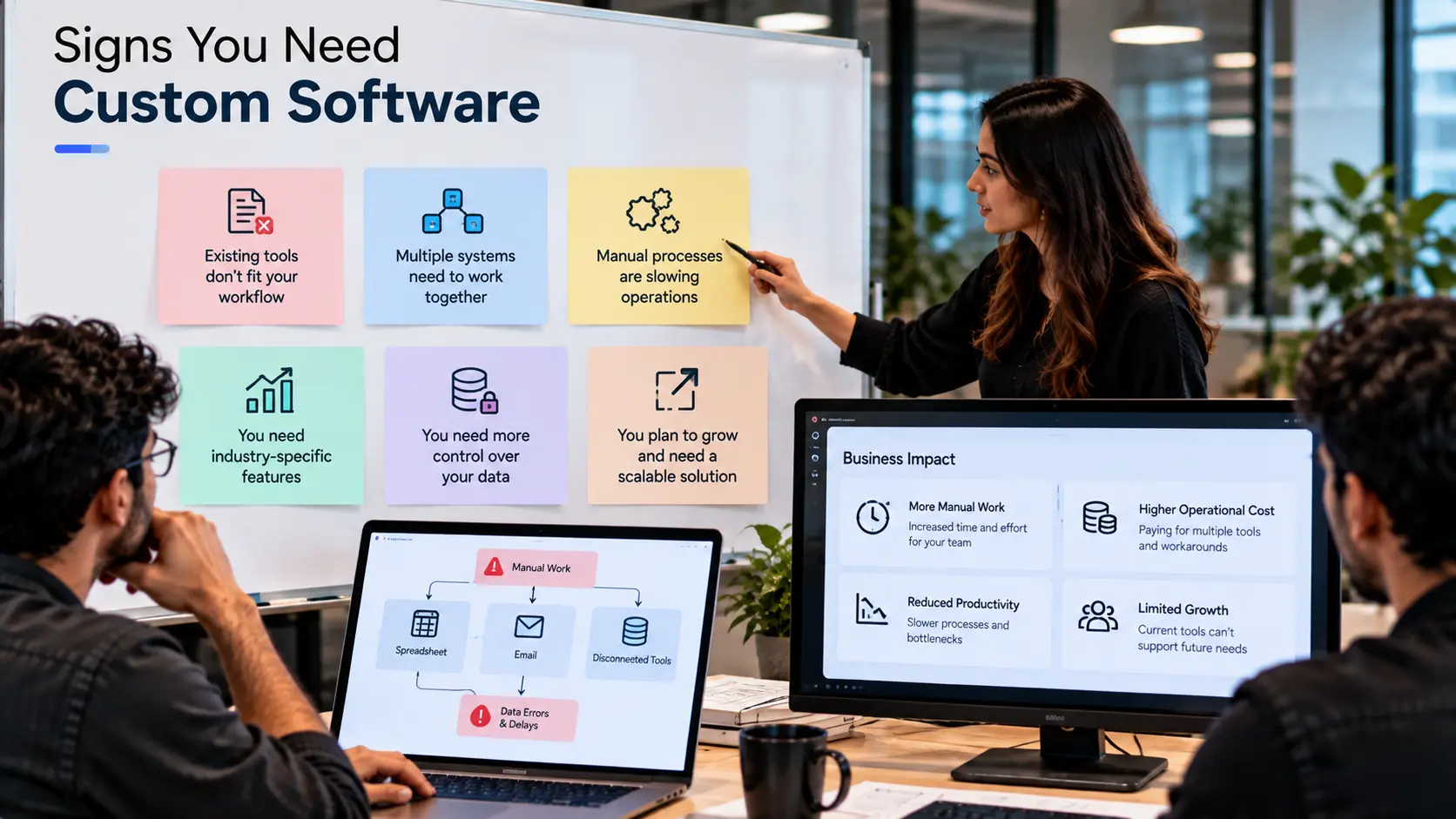
- Critical workflows do not fit existing tools: Teams may rely on manual workarounds because the available software cannot support the way their operations actually work.
- Multiple systems need to work together: When employees repeatedly move information between disconnected systems, a custom integration or unified application may reduce unnecessary effort.
- The user experience is highly specialized: A business may need a customer or employee experience that cannot be effectively created using standard templates and workflows.
- Business processes create a competitive advantage: If a unique process is central to how an organization operates, software built specifically around that process can provide greater control.
- Existing platforms become difficult to scale: Growing data, users, workflows, or operational complexity may expose limitations in a standard solution.
- Important requirements require constant workarounds: Repeated manual processes can indicate that the software is no longer aligned with the organization's needs.
Define Your Custom Software Requirements
Once custom development becomes a serious consideration, the first step should be understanding the problem rather than choosing technologies. Clear requirements help ensure that the final product solves real business challenges instead of simply reproducing existing processes in a new interface.
Start by identifying the users, their responsibilities, and the tasks they need to complete. Map the current workflows and identify where delays, duplication, manual work, errors, or unnecessary complexity occur.
Requirements should cover functionality, user roles, data, integrations, security, reporting, notifications, permissions, performance, and scalability where relevant. It is also useful to separate essential requirements from future possibilities so that the first version remains focused.
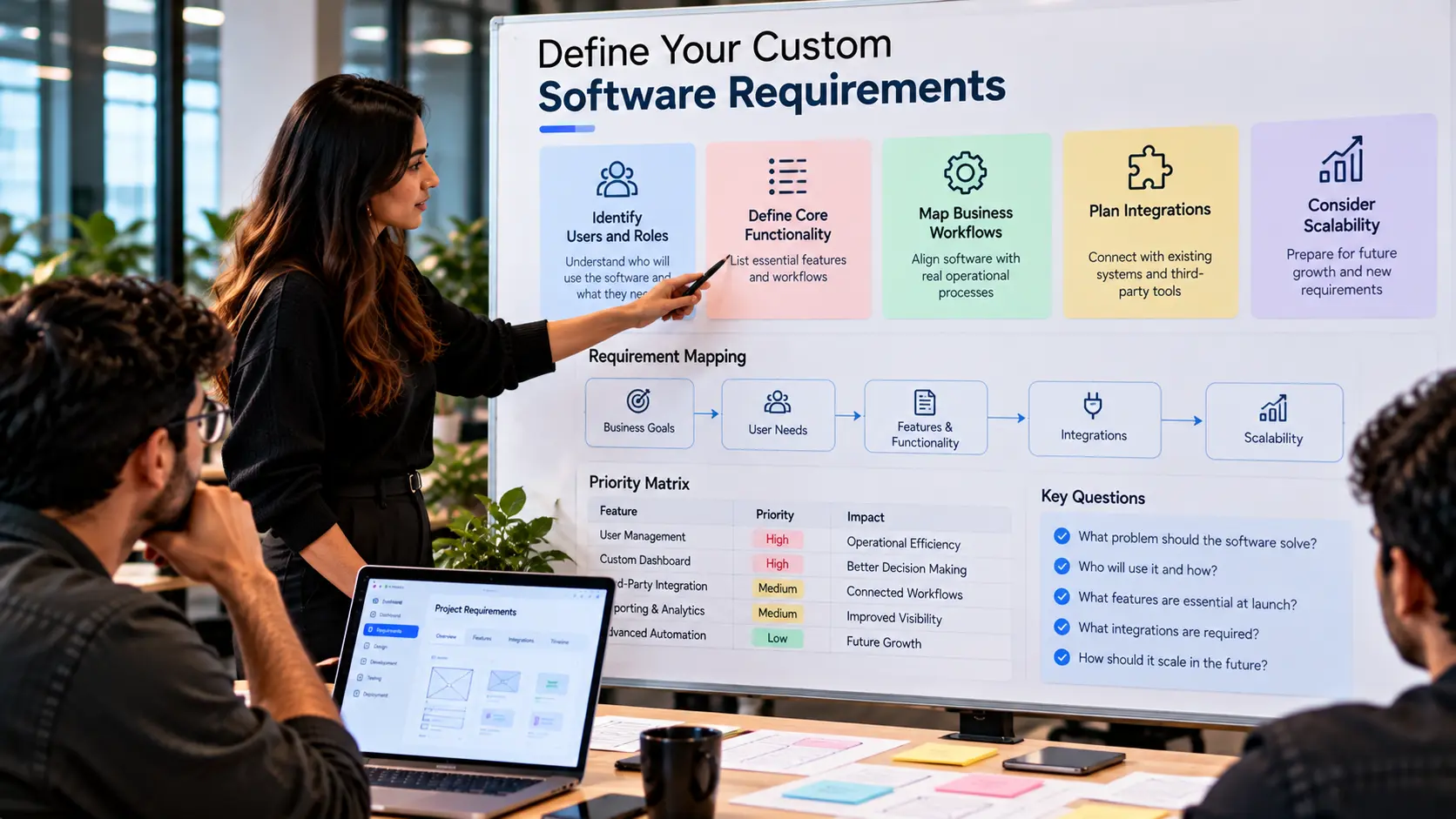
Well-defined requirements create a foundation for product design and development. They also provide a clearer way to evaluate progress throughout the project.
Design Around Real Business Workflows
One of the biggest advantages of custom software is the ability to design the experience around actual business workflows. Instead of asking employees or customers to adapt to a predefined process, the product can be structured around the way important tasks need to happen.
UX design should begin with the most important journeys. Identify the actions users perform frequently, the information they need at each stage, and the decisions they need to make. From there, information architecture, wireframes, interfaces, and prototypes can be developed around those workflows.
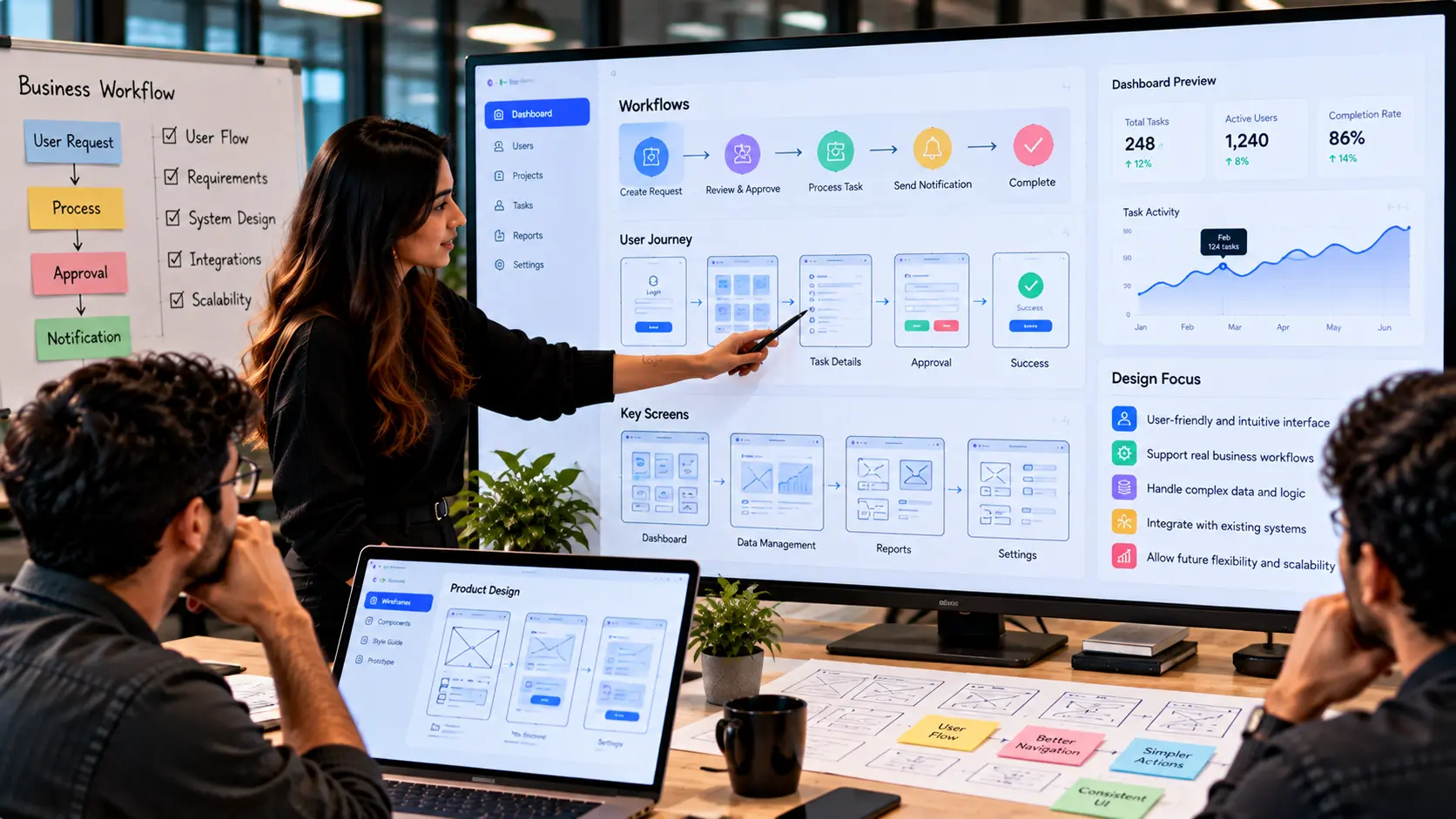
A well-designed custom application should reduce unnecessary steps and make important information easier to access. Clear navigation, useful dashboards, relevant notifications, search, filtering, and appropriate automation can all contribute to a more efficient experience.
The goal is not to add more interface elements. It is to make the right actions easier and the overall workflow more understandable.
Build for Integration and Scalability
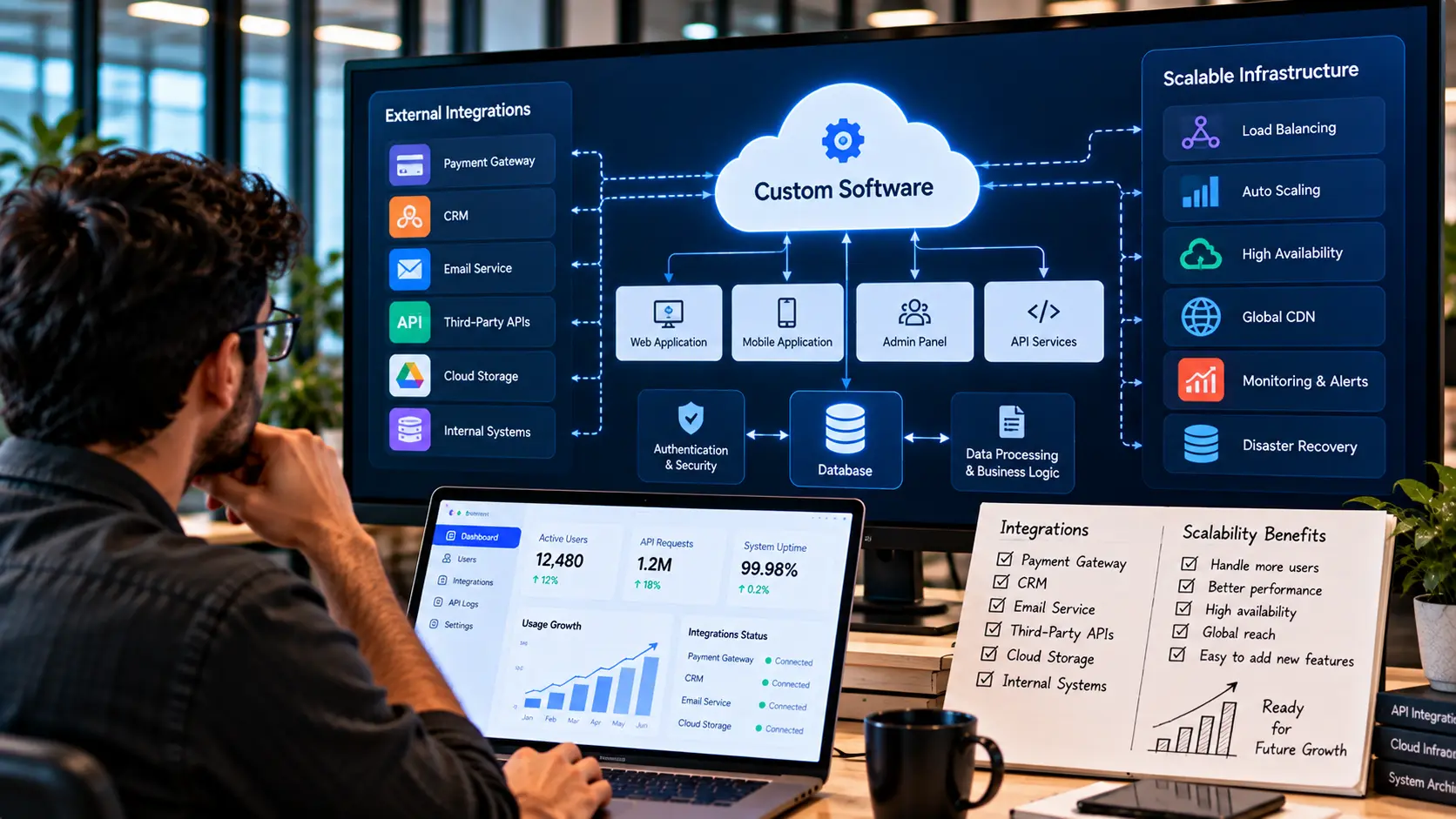
Modern software rarely operates in isolation. Custom applications may need to communicate with payment systems, customer databases, accounting platforms, communication services, internal tools, APIs, or other digital products.
Integration requirements should therefore be considered during architecture planning. Clear APIs, structured data models, authentication mechanisms, error handling, and reliable communication between systems can make integrations easier to maintain as the product evolves.
Scalability should also be considered from the beginning. This does not mean building unnecessary infrastructure for hypothetical future requirements. Instead, the architecture should provide sensible paths for increasing users, data, functionality, integrations, and operational complexity.
A modular and maintainable technical foundation makes it easier to introduce new capabilities without creating unnecessary dependencies across the entire application.
Security and Data Management
Custom software can provide greater control over how business information is collected, processed, stored, and accessed. That control also creates a responsibility to design appropriate security practices into the product.
Authentication and authorization should ensure that users can access only the information and functionality appropriate to their roles. Sensitive data should be protected during transmission and storage, while application secrets and credentials should be managed securely.
Data validation, access controls, audit logs, secure dependencies, backups, and appropriate monitoring can help reduce operational and security risks. The exact requirements will depend on the type of software, the information being handled, and the environment in which it operates.
Security should not be postponed until the final stages of development. Building security considerations into architecture and product design from the beginning is generally easier than trying to retrofit them later.
Plan Development and Testing
Custom software development should be approached as an iterative process. Requirements can be translated into prioritized features, designs can be validated before development, and working functionality can be tested throughout the project.
Testing should cover important user workflows as well as individual components and integrations. Functional testing verifies that features behave as expected, while integration testing confirms that different systems communicate correctly.
Security, performance, responsive behavior, error handling, and edge cases should also be evaluated according to the application's requirements. Testing with representative users can reveal usability issues that technical testing alone may not identify.
Regular validation helps teams identify problems earlier and creates opportunities to refine the product before development becomes unnecessarily expensive or difficult to change.
Ongoing Development and Maintenance
Custom software should not be treated as a finished product immediately after launch. Business requirements change, technology evolves, security considerations develop, and users provide new insights through real-world usage.
Ongoing development can include maintenance, security updates, performance optimization, bug fixes, compatibility improvements, infrastructure changes, and new features. Monitoring helps identify technical issues, while analytics and user feedback can reveal opportunities to improve the experience.
Regular maintenance also helps prevent technical debt from accumulating. Addressing small issues and improving the architecture over time can make future development more predictable and manageable.
A long-term development approach allows custom software to evolve alongside the organization instead of becoming another rigid system that eventually requires replacement.
Common Custom Software Development Mistakes to Avoid
Building without a clear business problem: Custom development should begin with a meaningful requirement or operational challenge, not simply the desire to create proprietary software.
Trying to replicate every existing process: A new system is an opportunity to simplify workflows rather than automatically reproducing inefficient ones.
Adding too many features at the beginning: A focused first version makes it easier to validate the core product and establish a strong foundation for future development.
Ignoring UX until development is underway: User flows and interface decisions should be considered before major technical implementation begins.
Underestimating integrations: External systems can introduce technical dependencies and edge cases that should be considered during architecture planning.
Neglecting security and maintenance: Security, monitoring, updates, and ongoing technical improvements are part of the software lifecycle, not optional additions.
Choosing technology before understanding requirements: Technology decisions should support the product's actual needs rather than determine what the product is capable of doing.
Conclusion
Custom software development can provide a practical path for organizations whose workflows, integrations, user experiences, or operational requirements cannot be effectively supported by off-the-shelf solutions.
The decision should begin with the business problem. By understanding users, mapping workflows, defining requirements, designing the experience, planning the architecture, and considering security and scalability from the beginning, organizations can create software that is aligned with how they actually operate.
Custom development is not simply about owning software built specifically for a business. It is about creating a digital foundation that can support important processes today while providing room to evolve as requirements change.
Frequently Asked Questions
- What is custom software development?
Custom software development is the process of designing and building software around specific business, user, workflow, integration, or operational requirements rather than relying entirely on a pre-built product. - When should a business consider custom software?
A business may consider custom software when existing solutions cannot effectively support important workflows, integrations, user experiences, scalability requirements, or specialized operational needs. - Is custom software better than off-the-shelf software?
Neither option is universally better. The appropriate choice depends on the organization's requirements, budget, complexity, operational needs, desired control, and long-term plans. - How does custom software support business workflows?
Custom software can be designed around specific processes, roles, data, approvals, integrations, and user journeys, allowing the application to reflect how the organization actually operates. - Can custom software integrate with existing systems?
Yes. Custom applications can be designed to communicate with existing platforms through APIs and other integration methods when the required systems provide suitable integration capabilities. - How important is UX design in custom software?
UX design is important because custom functionality still needs to be understandable and efficient for the people using it. Clear workflows and intuitive interfaces can reduce unnecessary complexity. - Does custom software require ongoing maintenance?
Yes. Custom software typically requires ongoing maintenance, security updates, performance optimization, compatibility improvements, monitoring, and further development as requirements evolve. - How should a custom software project begin?
A project should begin by understanding the business problem, identifying users and workflows, defining requirements, prioritizing functionality, and establishing the product and technical direction before development begins.

Insights | September, 2026
Building Scalable SaaS Products: From Idea to Launch
Discover how to transform a SaaS concept into a scalable digital product by combining user-focused design, reliable development, and a clear product strategy.
Brandube
Insights | September, 2026
A Practical Guide to Building High-Performance Web Applications
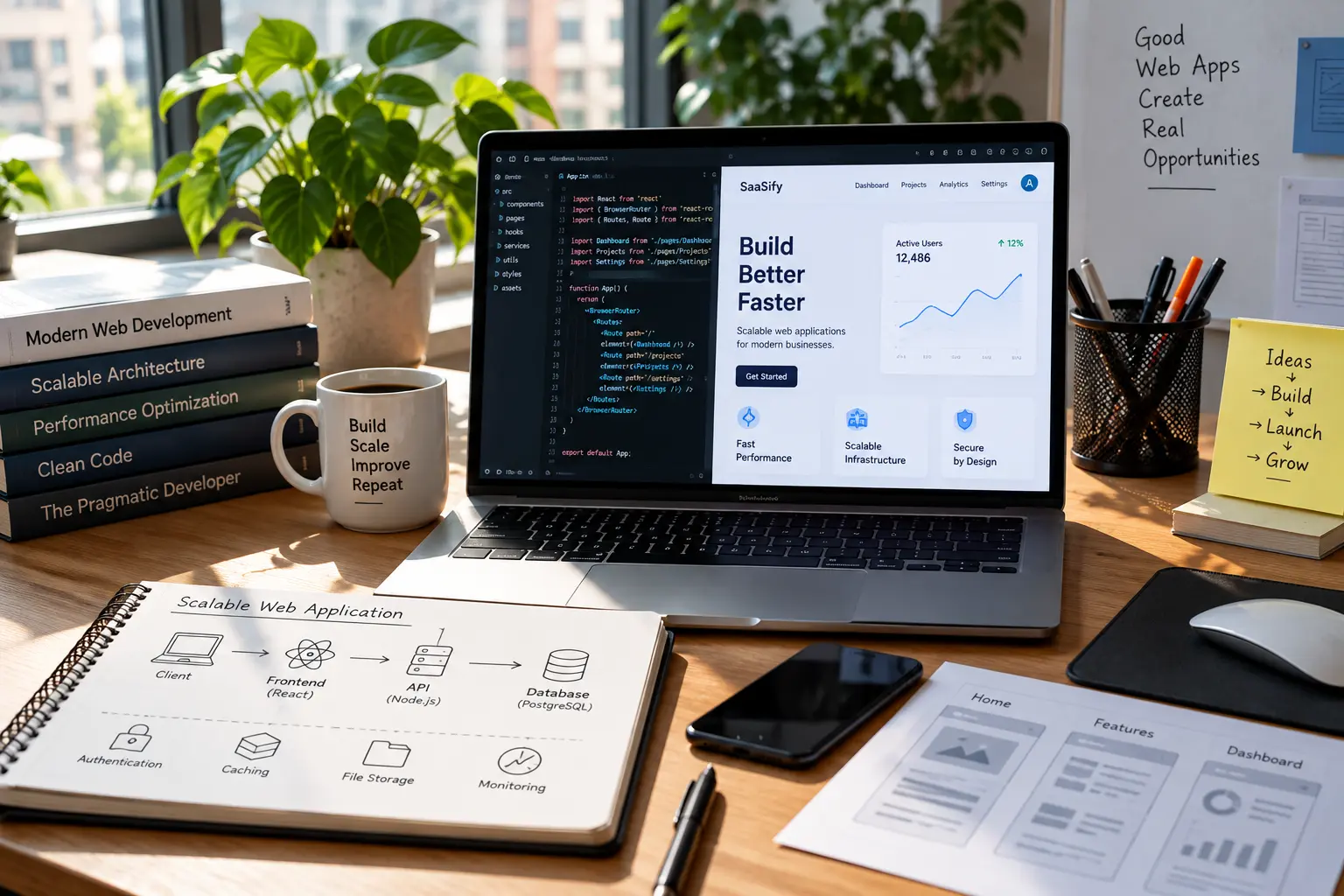
Discover the key considerations for developing web applications that deliver reliable performance, scalable architecture, intuitive experiences, and long-term value.
Brandube

Insights | September, 2026
Why Ongoing Product Development Matters After Launch
Learn how continuous improvements, performance optimization, maintenance, and new features help digital products remain secure, useful, reliable, and ready to evolve.